Welcome to Ascent
Ascent is a Professional Services Automation (PSA) and CRM platform built for MSPs (managed service providers) running Level RMM. It brings client management, ticketing, assets, billing, and reporting together in one place, with native Level RMM integration.
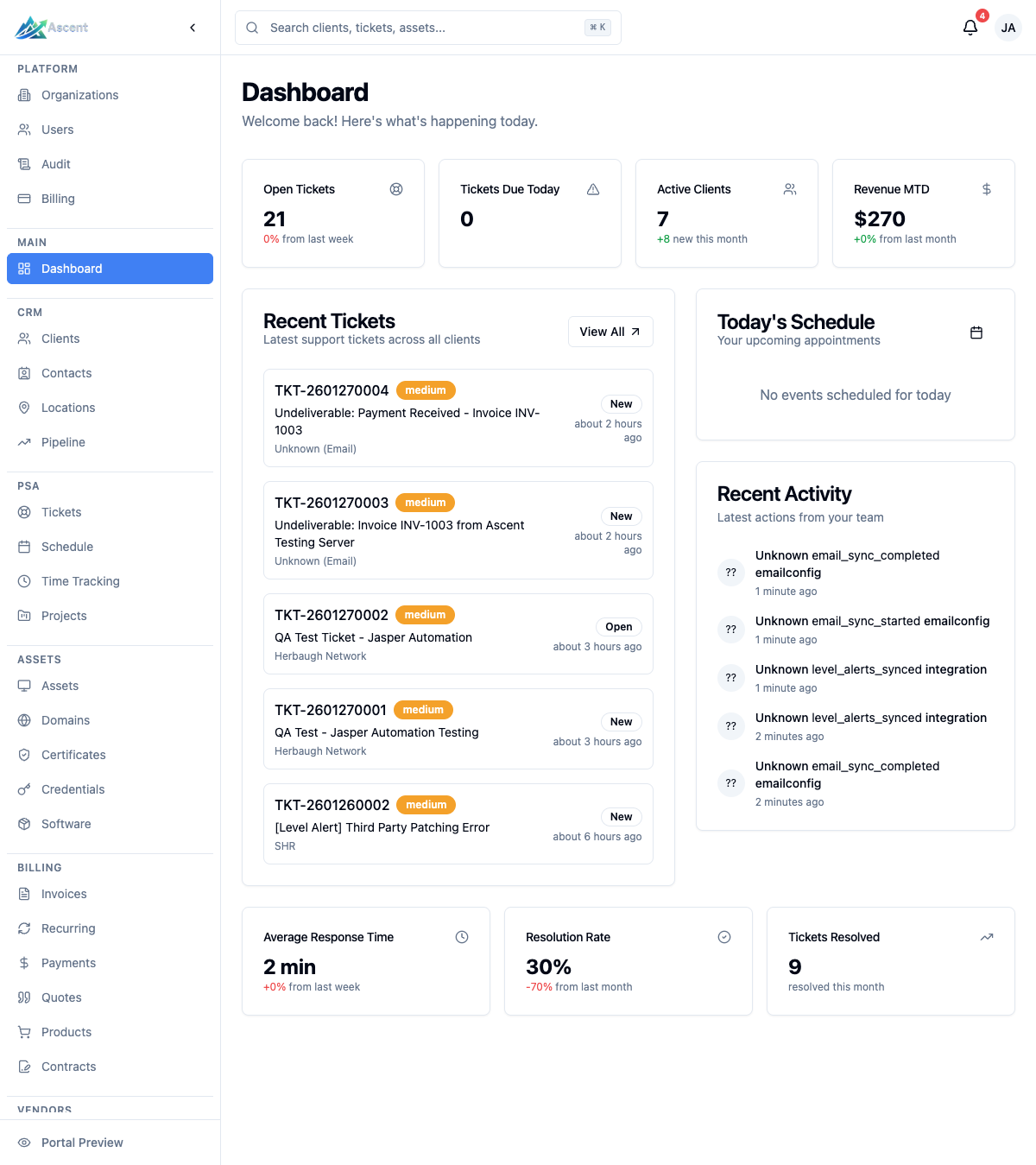
Overview
Ascent is organized into modules, each shown as a section in the left sidebar. What you see depends on your permissions, role, and license tier:
- CRM — manage clients, contacts, locations, and a sales pipeline.
- PSA — run a helpdesk with tickets, scheduling, on-call rotations, time tracking, projects, and checklists.
- Assets — track hardware assets, networks, racks, domains, certificates, and software.
- Billing — create invoices, recurring billing, payments, quotes, products, and contracts (requires the usage-based billing license feature).
- Vendors — keep records of the vendors you work with.
- Knowledge base — write internal and client-facing documentation, and store credentials (passwords, TOTP) securely.
- Analytics — dashboards for team performance, SLAs, client health, and customer feedback.
- Reports — exportable reports for tickets, revenue, profit & loss, expenses, and time.
- Integrations — connect Level RMM, Microsoft 365, SMTP/IMAP, Stripe, and Pax8.
- Client Portal — a separate portal where your clients submit and track tickets.
Modules
CRM
Maintain detailed records for each Client, their Contacts, and Locations, and track sales opportunities through the Pipeline. See the CRM overview.
PSA
The core service-delivery toolset. Tickets is a full helpdesk with priorities, statuses, and SLA tracking. Schedule and On-Call cover technician scheduling and rotations, Time Tracking logs billable and non-billable time, Projects groups larger engagements, and Checklists (with My Tasks) provide reusable, assignable task lists. See the PSA overview.
Assets
Track your clients' IT estate: Assets (hardware), Networks, Racks, Domains, Certificates, and Software. See the Assets overview. (Credentials now lives under Knowledge base.)
Billing
Generate Invoices, set up Recurring billing, record Payments, send Quotes, manage Products, and define Contracts. The Billing section is gated behind the usage-based billing license feature. See the Billing overview.
Vendors
Keep a directory of the suppliers and vendors you work with.
Knowledge base
Author and organize documentation under Documentation, for both internal use and your clients, and store secrets in the Credentials vault (passwords and TOTP, stored encrypted).
Analytics
Dashboards covering an Overview, Team performance, SLA compliance, Client Health, and customer Feedback. The Analytics section requires the reports read permission, and the Feedback view requires the client feedback feature.
Reports
Exportable reporting with views for Tickets, Revenue, Profit & Loss, Revenue by Client, Expenses, and Time. The Reports section requires the reports read permission.
Integrations
Connect Ascent to the tools you already use. Level RMM is the primary integration, syncing assets, alerts, and endpoints into Ascent and automatically creating tickets from Level alerts. You can also connect Microsoft 365, generic SMTP/IMAP email, Stripe for payments, and Pax8. See the Integrations overview.
Client Portal
A separate portal where your clients can submit tickets, track progress, and view documentation you share with them. Administrators manage portal access requests and the access link under Settings → Users & Access → Client Portal (available on plans with the client portal feature). On plans that include the white-label portal feature, the portal can also display your organization's logo, icon, and brand color.
Getting Started
Ready to dive in? See the Getting Started Guide to learn the basics of using Ascent.
Need Help?
- Visit our Support Portal
- Contact your account manager
- Browse the documentation sections for each module